The "Slow Motion / Shoot Time / Bullet Time" mode is a debug feature of Resident Evil 4. It helps the player to analyse enemy movements and allows the player to react with a lag time. This is very useful when ducking from enemies and aiming accurately at targets. Relatively, it's like playing with a quick response time and yet had more time to think of a counteraction. You get to dodge "quickly" as an axe is flying towards you. The result is you make fewer mistakes and live longer. You have more time to hit a mob of ganados one by one. This spot is most likely to explode the head. In the long run, you save time with single try fights. I even killed the final boss without reloading in a single and first try!
Cut Scenes in Real Time Render
Another debug feature is unlocked along with the Slow Motion mode. If you let a movie play to the end, you will see the the original real-time 3d backgrounds of that movie minus the characters. Cut scenes in the PC version of Resident Evil 4 are prerendered and compressed video files but here you will see the environment in real time 3d as the camera moves around the set, sometimes a never-before-seen view of the building or room. Everything is still in slow motion and may take time to finish. You can press escape key to skip this portion.
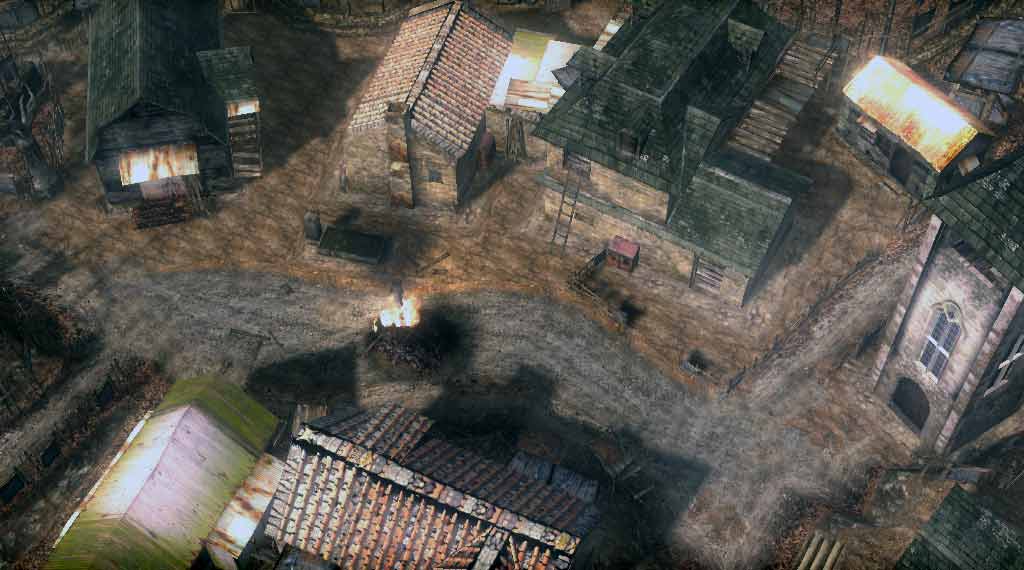
Top camera view of the village in one of the cut scenes.
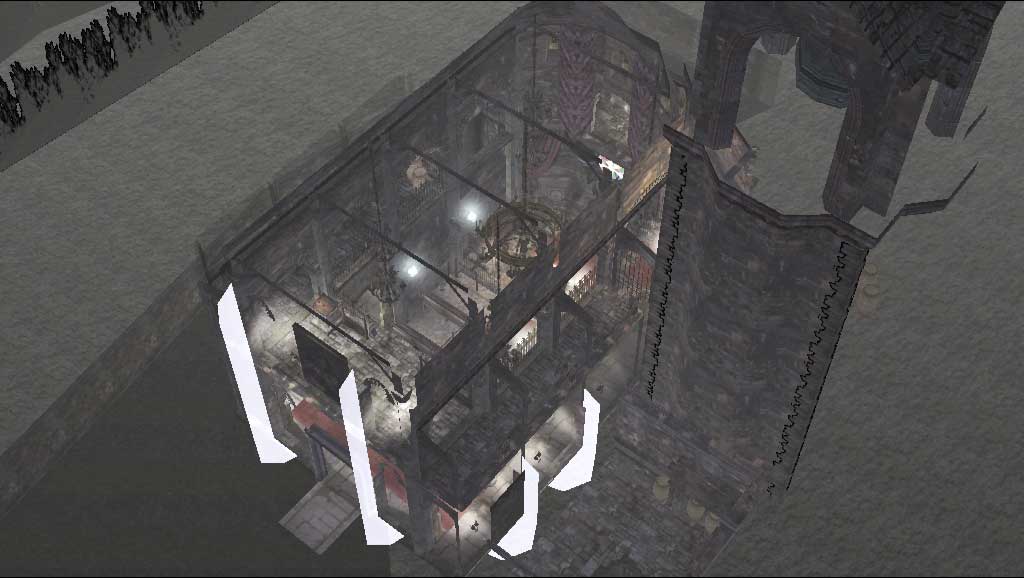
Perspective view of the church by the cemetery.
How to Activate "Bullet Time" Mode
- Shutdown your computer to Stand By. Do not unplug your computer or switch off the power source.
- After a few seconds, turn back your computer on by pressing the power button.
- Run Resident Evil 4. It should now run in slow motion mode.
- To go back to normal mode, restart your computer.
System Requirement?
It is not known exactly how to reproduce this quirk in other systems. System running during the discovery of this mode was:
- Resident Evil 4 with version 4.1.10 Europe Patch
- Windows XP Professional Service Pack 2 upgraded to Service Pack 3
- AMD Athlon X2 on ECS Elitegroup Motherboard
- Nvidia GeForce 7300 with 512MB DDR2 Memory PCI Express GPU
Discuss this article at: http://www.capcom-unity.com/resident_evil/go/thread/view/7391/4907105/Play_Resident_Evil_4_for_PC_Full_Game_in_Bullet_Time_Mode
Updates
12.03.2008. Silent Hill 3 is also known to slow down after the computer wakes up from stand by. This leads to the conclusion that this is a system glitch.